EaseFab DVD Ripper for Mac V5.9.2  

Digitize, Rip & Copy Any DVD (99-Title/New/Old Discs) at Ultra-fast Speed

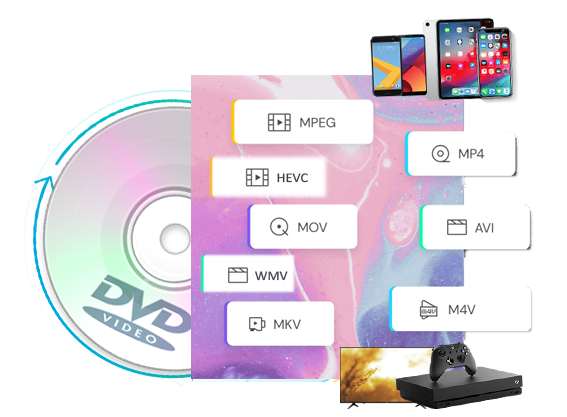
Convert any DVD to 500+ regular video & audio formats for seamlessly playback on any mobile device, HDTV, Mac, Xbox, VLC, etc.

Copy any DVD in 1:1 ratio with original quality. Repack DVD to lossless MP4/MKV in 5 minutes.

  1. Apple M-series & macOS 26 compatible
  2. 90-day Money Back Guarantee

I need a Windows version →

* The strongest for 99-title DVDs and always the 1st to support new DVDs. Only for personal use!

"Incredibly fast conversion and user selectable quality! Very satisfied!! I also love the way I am able to make the video quality brighter or darker and adjust the contrast." — Matthew (from California of USA)


"I've ripped about 50 DVD movies so far and it worked like a charm! Good, clear interface and easy to use. The key for me was speed. Easefab was much faster than other software tried at converting." — Henri Biron (from Brussels of Belgium)

4.7 Stars


Trusted & Loved by 50+ Million Users

Conquer All Types of DVDs – Old, New, 99-title Discs & More
Remove DVD copy protection to make DVD digitizing possible

Support All DVD Types

EaseFab DVD Ripper for Mac supports all DVD disc types, including physical DVD-5, DVD-9, DVD±R, DVD±RW, DVD-RAM, DVD-R DL, ISO image files, and VIDEO_TS folders. Powered by leading decryption algorithm, the best macOS DVD ripping software can easily cope with commercial DVDs protected by CSS, APS, RC, RCE, Sony ARccOS, UOPs, RipGuard, Disney X-Project, etc.


EaseFab updates constantly (30+ updates per year) to support newly released DVD discs. Built with a competitive DVD title check kernel and adaptive structure analysis, every title can be handled without errors. And its engine typically detects and loads new, old, and even damaged discs within 5 to 10 seconds.

Rip DVD Discs/ISOs/Folders to Any Format and Any Device
With preloaded 500+ video/audio formats and optimal device presets

Multi-Format Outputs: EaseFab DVD Ripper for Mac is the best macOS DVD ripping software in 2026 to convert DVD to 500+ video (MP4, MKV, AVI, MOV, WMV, FLV, M4V, TS, DivX, WebM, 3GP, etc.) and audio (MP3, WMA, AAC, M4A, FLAC, OGG, etc.) formats for playback on various devices.


Optimized Device Presets: It also includes over 200 preset profiles for devices from major brands like Apple, Google, Huawei, Microsoft, Samsung, Sony, LG, BlackBerry, Xbox, PVP, and PS. Simply select an output format or device profile, and the ripped file will be played on most popular devices smoothly.


Lossless Conversion: EaseFab DVD Ripper can fast convert DVDs into lossless MKV or MP4 files, preserving the 1:1 original quality of video, audio tracks, and subtitles without transcoding or compression. The lossless ripping can let you enjoy a cinema-grade immersive experience on home theaters or large screens.

formats

Duplicate and Copy A Full DVD in 1:1 Ratio with 5 Minutes
Protect old and classic discs against kids' scratches, disc rot, damages, etc.

1:1 Ratio DVD Backup

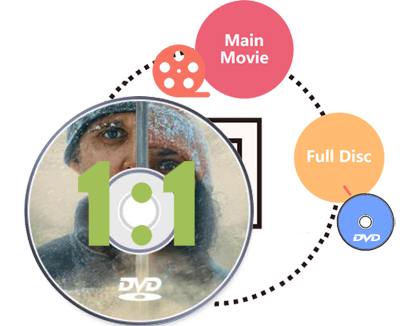
Besides converting DVD to digital, EaseFab DVD Ripper for Mac also provides 3 options to backup DVD in 1:1 ratio including DVD to DVD, DVD to ISO image, and DVD to a single VOB file. The copy version will fully maintain DVD menu, all subtitle tracks, audio tracks, and the original quality. And the speed is super fast, only 3-5 minutes for a 1:1 copy.


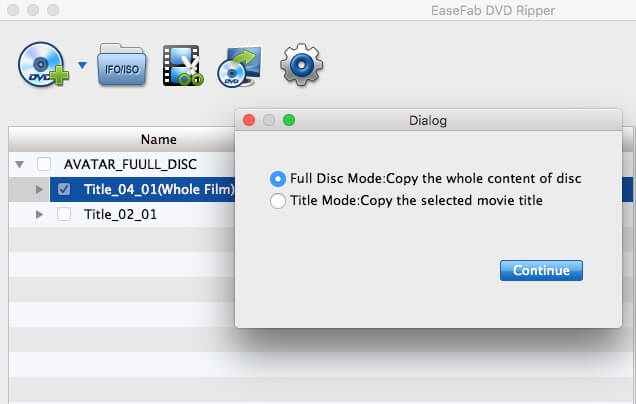
● Full Disc Mode - Clone DVD from physical disc to computer with original structure in 1:1 without any quality loss, including all audio streams, subtitle tracks and chapter info.


● Title Mode - Copy selected content(s) only (e.g. main title) to a single VOB file and leave out extras, commentary, etc.


● ISO Mode - Create an ISO image file from the DVD disc with intact data.

Edit and Customize DVD Content At Your Will

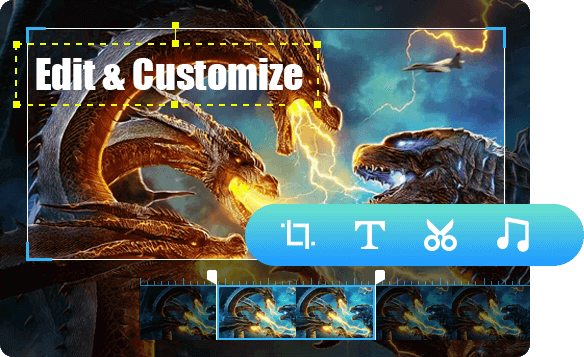
EaseFab DVD Ripper can easily rip DVDs to 500+ video and audio formats while also providing powerful customization tools for DVD content. You can crop, trim, merge video, add watermarks and subtitles and even adjust video color, making your videos stick out from the crowd.


▶ Make Your Videos Outstanding with the Video Editor

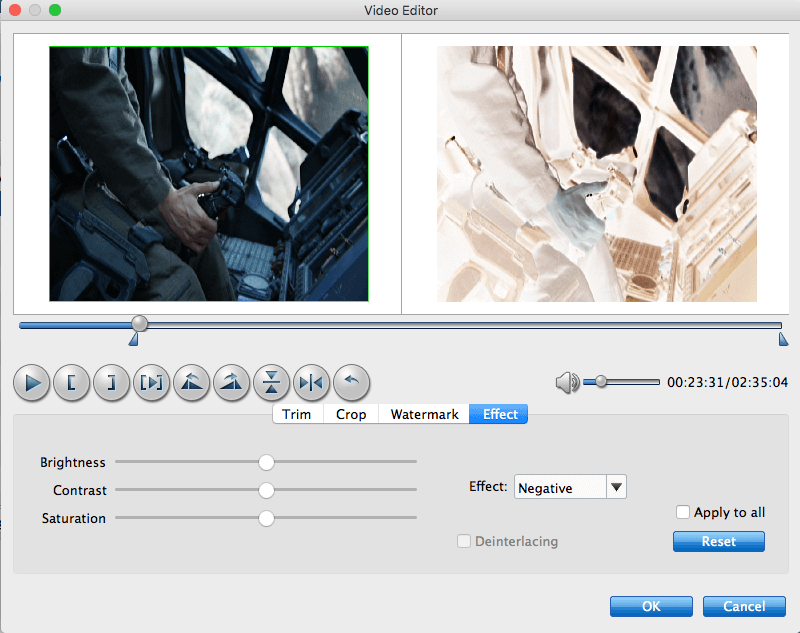
With powerful video editing features included, you can easily trim, crop, remove black bars, add watermarks, adjust video effects, etc. to create your own movie for playback.


▶ Choose desired sub/audio tracks / Insert external subtitle

Set preferred audio track and subtitle from the source DVD movie or you can even add external subtitle to DVD movie to achieve better movie enjoyment.


▶ Flexible Settings for Advanced Users

For advanced users, this best macOS DVD ripper provides flexible parameter settings for you to adjust resolution (480p/720p/1080P/4K), codec (H.264, H.265, AV1, etc.), aspect ratio, bitrate, frame rate, sample rate, etc. to control file size and output quality for broad device compatibility.

Edit Videos

More Functions in The Feature-rich DVD Ripper

Fast Speed

Fast & Easy to Use

Digitize and rip any DVD discs at ultra-fast speed using GPU acceleration. And only a few clicks to finish the task.

Create 3D Movies from DVD

3D Movie Maker

Create customized 3D videos from your DVDs and maintain high quality and support up to 4K resolution.

Retain Subtitles

Compress DVD Movie

Reduce the file size of DVD movies with highly efficient video codec like H.254, AV1, H.264, etc. to save storage space.

Intuitive Interface Makes DVD Ripping Pretty Easy

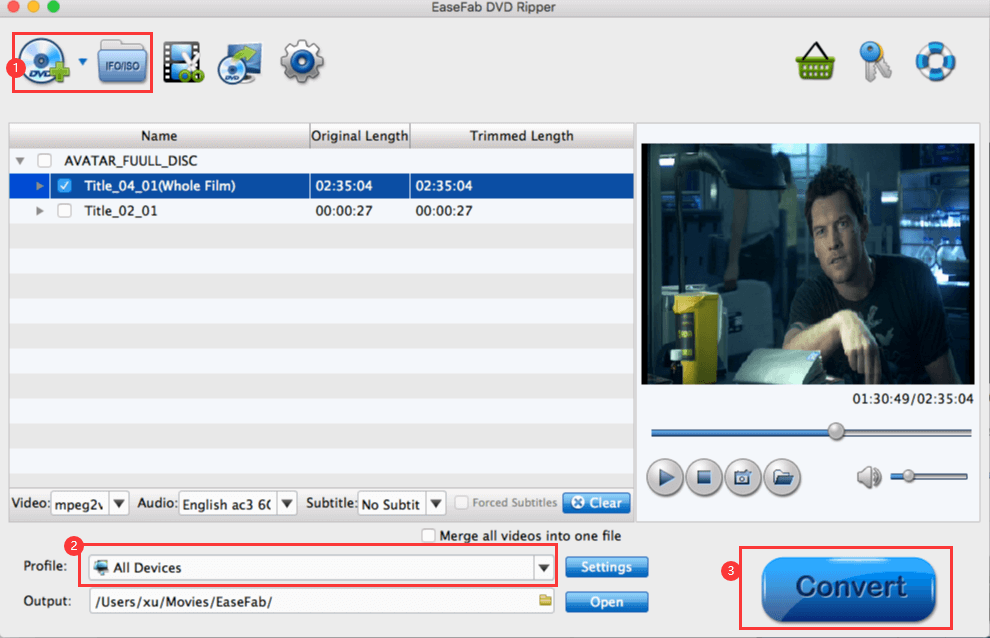
Rip a DVD within 3 clicks
The DVD ripping process is straightforward as 123

Load source DVD (ISO image file or DVD folder).
Select an output format or device profile.
Start DVD ripping.

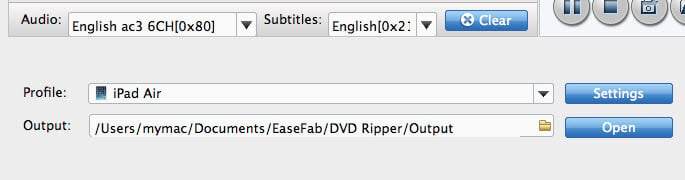
Choose desired subtitle or audio
Select desired subtitle, audio or add external subtitle

(Optional) You can choose desired subtitle or audio track from the corresponding drop-down Audio or Subtitle lists. You're also allowed Add *.srt/*.ass/*.ssa Subtitle to your DVD movie if there is unwanted subtitle track there.

1:1 ratio DVD backup
1:1 DVD Backup

Full Disc Mode: Copy the whole disc
Title Mode: Copy the selected titles to video file
ISO Mode: Backup the whole disc to ISO file

Edit DVD movies
Edit and touch up DVD Movies

With powerful video editing features included, you can easily trim, crop, remove black bars, add watermarks, adjust video effects, etc. to create your own movie for playback.

Tech Specs & Pricing

System Requirements

  • Supported OS: macOS 10.13 or later
  • Processor: Apple Silicon or Intel
  • Free Hard Disk Space: 100MB space for installation
  • RAM: 1GB RAM (Recommended: 2GB or above)
  • Optical Drive: An internal or external DVD drive
  • Network: Live Internet connection required

Version Details and Pricing

  • Version: 5.9.2  See update history >>
  • Software Interface Language Available:
    Software Language
  • 1 Year License: $29.95 $19.95
  • Lifetime License: $55.95 $27.95

Buy Now

We Promise

90 days money back guarantee

90 days money back guarantee.

Transactions Protected

All transactions are protected.

24 Hour Response

Email response within 24 hours.

100% Clean

100% clean, no risk.

Copyright © 2026 EaseFab Software Corporation. All Rights Reserved.