* Always the 1st to support new discs & unbeatable on 99-title DVDs. Only for personal use!
"EaseFab DVD Ripper does a very good job backing up and transcoding my DVD collection, including the copy-protected discs. The quality is excellent and it's very simple and fast." - Andrew Holt (from Alston of United Kingdom)
"This powerful utility can turn any of my DVDs into digital files for viewing on my smartphone, tablet, and optical drive-less laptop. Strings attached: zero." - Jacobson (from Kodiak of USA)
Support All Types of DVDs - Old, New, 99-title Discs & more
Remove any protection to make DVD ripping and conversion possible
Equipped with leading decryption algorithm, EaseFab DVD Ripper can effortlessly handle all types of commercial DVD discs protected by CSS, APS, RC, RCE, Sony ARccOS, UOPs, RipGuard, Disney X-Project, etc. It supports a wide range of disc types, including physical DVD-5, DVD-9, DVD±R, DVD±RW, DVD-RAM, DVD-R DL, ISO image files, and VIDEO_TS folders.
EaseFab releases over 30 updates per year to promptly support newly released DVDs. It typically detects and loads new, old, or workout DVD discs within 5 to 10 seconds. Please make sure that all the DVD ripping are just for personal use.
 |
 |
 |
 |
 |
Rip DVD to Any Video/Audio Format and Any Device
With preloaded 500+ video/audio formats and optimal device presets
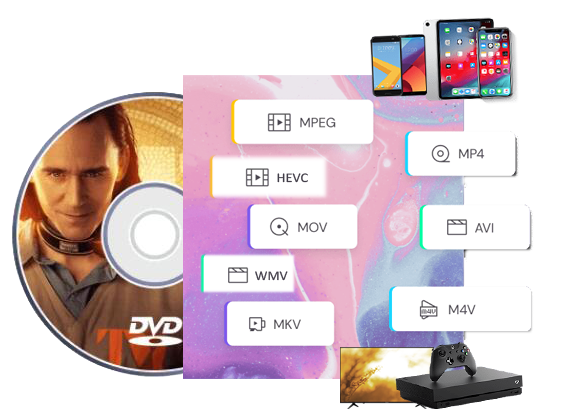
Multi-Format Outputs: EaseFab DVD Ripper is designed to convert any DVD disc, ISO image file or folder to MP4, MKV, AVI, MOV, WMV, FLV, M4V, TS, DivX, WebM, MP3, WAV, FLAC, etc. 500+ video and audio formats, using codecs such as H.264, H.265, MPEG-4, and AV1.
For device compatibility, this DVD ripper offers 200+ optimized presets (with good quality-size balance) for specific devices such as iPhone, iPad, Apple TV, Samsung, Sony, Huawei, Microsoft, Google, Android devices, VR devices, game consoles, TV, etc. Simply select the device profile, and the ripped file will be played on your device seamlessly.
Lossless Conversion: It also provides 1:1 lossless conversion of DVDs to MKV and MP4 with original quality of video, audio tracks and subtitles without transcoding or compression.
For advanced users, this best DVD ripper provides flexible parameter settings for you to adjust resolution (480p/720p/1080P/4K), codec (H.264, H.265, AV1, etc.), aspect ratio, bitrate, frame rate, sample rate, etc. to control file size and output quality for broad device compatibility.
Get 30X Faster DVD Ripping Speed with GPU Acceleration
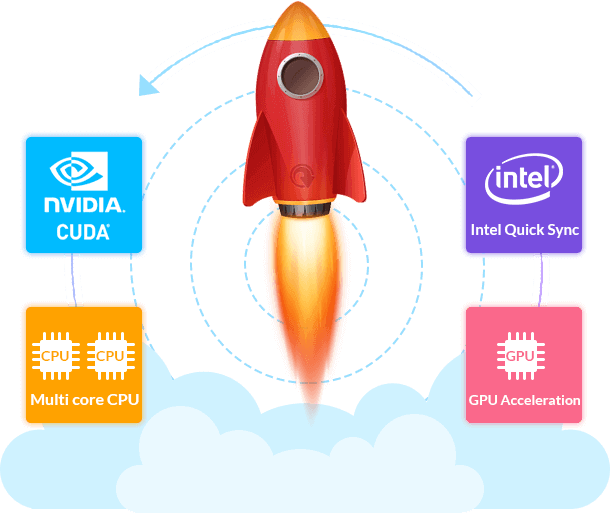
EaseFab DVD Ripper is a super fast DVD ripping software that uses advanced GPU acceleration, including Multi-core CPU, NVIDIA CUDA, AMD, IQS (Intel Quick Sync), which can largely accelerate DVD ripping and encoding process up to 30x faster speed while keeping a low CPU usage.
By taking full advantage of GPU acceleration, it can rip a full-length DVD movie to a compressed MP4 (HEVC/H.264) in just 5-8 minutes. And for a lossless MKV file, it takes about only 2 minutes and the output matches the original source.
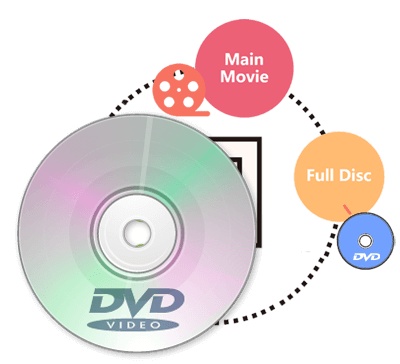
1:1 Make an Exact Copy of a Full DVD in 5 Minutes
Besides digitizing discs, this versatile DVD ripper also provides 3 modes to backup your DVDs with full title or selected content only (e.g., main title). The speed is super fast, only 3-5 minutes for a 1:1 copy.
● Full Disc Mode
Backup the entire disc in original file structure with all subtitle tracks and audio streams preserved.
● Title Mode
Copy selected movie title as a single VOB file. By selecting main title, you can copy main movie and leave out extras, commentary, etc.
● ISO Mode:
Create ISO from DVD disc. This ISO image file contains everything written on DVD.
Edit and Customize DVD Movies At Your Will
Various video editing functions are available in this DVD ripping app to assist you with creating personal videos with customized adjustments. And it takes only a few minutes for all novices to personalize the DVD movie quickly and easily with the built-in video editor.

✦ Trim and cut your video to get the part you want.
✦ Crop Video, remove black bars and customize the frame size (16:9, 4:3 etc.).
✦ Add image and text watermarks to video for copyright protection.
✦ Adjust brightness, contrast and saturation to enhance the visual effects.
✦ Increase volume in any video or audio file in just one click.
Besides editing, EaseFab DVD Ripper also allows you to merge all titles/chapters into one file for flawless enjoyment. Moreover, batch conversion is supported so that you can convert multiple DVD movies at the same time.

Easy to Use
Finish DVD ripping and copying task with only a few simple clicks.

Built-in Preview Player
Pre-watch the adjusted movie in preview window and take snapshots if necessary.

Retain Subtitle and Audio
Freely select desired subtitle and audio track for hardcoding in outputs.
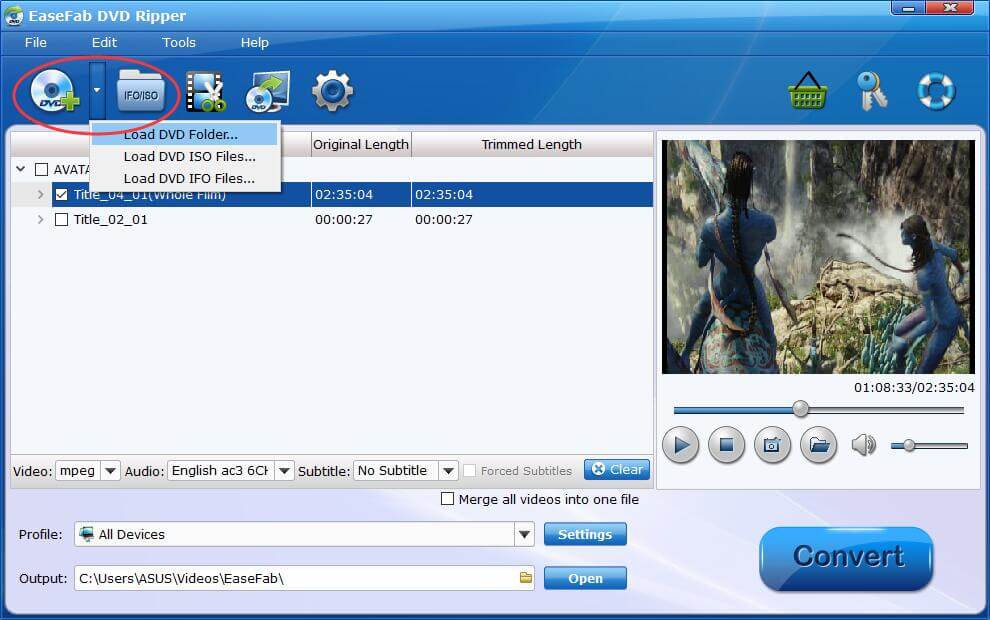
Insert the DVD disc to the optical drive. Launch EaseFab DVD Ripper and put the click on the Load DVD button to import the DVD for ripping. When the source is an ISO file or a folder, you can just simply drag and drop it into the main UI for loading.
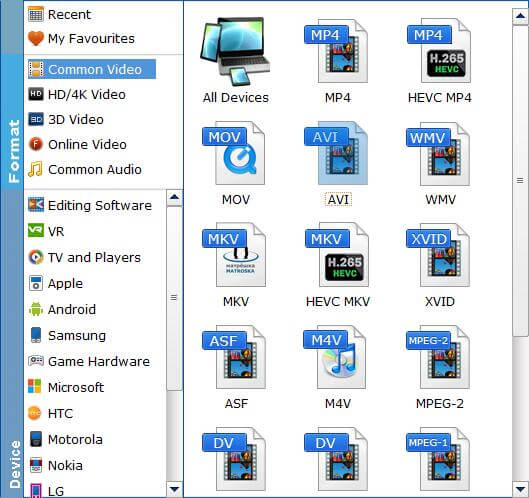
In the pop-up output profile window, you can see all popular formats devices divided into various categories. You can choose any digital video format based on your own needs.
You're allowed to select the titles, audio tracks and subtitles to retain. You can also turn to the "Settings" and built-in "Video Editor" to customize the output video.
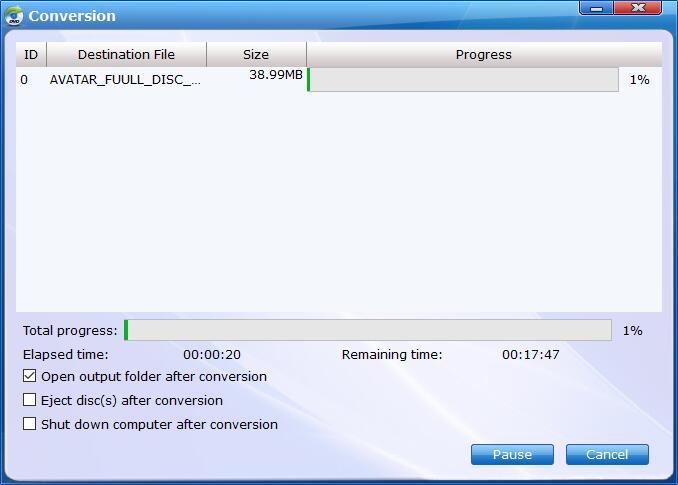
Click the Convert button, EaseFab DVD Ripper will immediately begin converting DVD to the target profile you have chosen, and provide you with the detailed progress details during the process. You can cancel the task anytime you don't want to continue during the process, and you can also set your PC to automatically shut down when the task is done.
System Requirements
Version Details and Pricing
 See update history >>

90 days money back guarantee.

All transactions are protected.

Email response within 24 hours.

100% clean, no risk.
Copyright © 2026 EaseFab Software Corporation. All Rights Reserved.



 Sales Team: