Top 6 Free AV1 Converters for Windows, Mac and Online in 2026


Here's a roundup of 6 best AV1 converters for Windows, Mac, and online, so you can convert AV1 to H.264, HEVC, MP4, etc. to edit, play or share AV1 videos with ease.
As an open and royalty-free video coding format. AV1 is designed to replace VP9 and compete with HEVC for high-resolution content such as 4K and 8K video. Though AV1 offers more efficient compression rate, better quality, and smaller file size, it hasn't won wide popularity offline as HEVC and H.264. The AV1 video playback, uploading and editing issues happen from time to time, especially on older, incompatible hardware. To resolve the AV1 incompatiblity issues, the common and easy solution is to rely on an AV1 video converter to convert AV1 to H.264, H.265, MP4 or other more compatible codecs and formats.
In this page, we will introduce the top six AV1 codec converters, including free and online options, which can help you convert other formats into AV1 for more efficient compression or convert AV1 files into a more widely compatible format, like H.265 or H.264. We will also compare their features, pros, and cons to help you choose the best tool for your needs.
Quick Galance at the Top 6 AV1 Converters
- #1. EaseFab Video Converter - Best overall. An easy-to-use yet professional AV1 converter that offers fast & high quality video conversion.
- #2. HandBrake - A popular open-source AV1 converter available for Windows, macOS, and Linux.
- #3. FFmpeg - An open source AV1 transcoding program designed for pros and geeks. No GUI, difficult for beginners.
- #4. Convertio - An online AV1 converter that can decode and transcode small AV1 files to H.264 or HEVC.
- #5. VLC Media Player - Best for simple AV1 conversion task, though speed and reliability may vary.
- #6. Shutter Encoder - A free video converter built on FFmpeg that supports AV1 decoding and encoding.
- Optional Reading about AV1
How to Choose the Right AV1 Converter?
When choosing an AV1 video converter, you should consider speed, input/output options, and output quality, etc. common factors. Besides these, the specific needs is also a key factor to consider. For example, a casual user performing a single conversion will differ from that of a content creator who needs to convert a large video library. What's more, your budget is another important consideration.
6 Best AV1 Converter Tools: In-Depth Hands-On Reviews
#1. EaseFab Video Converter
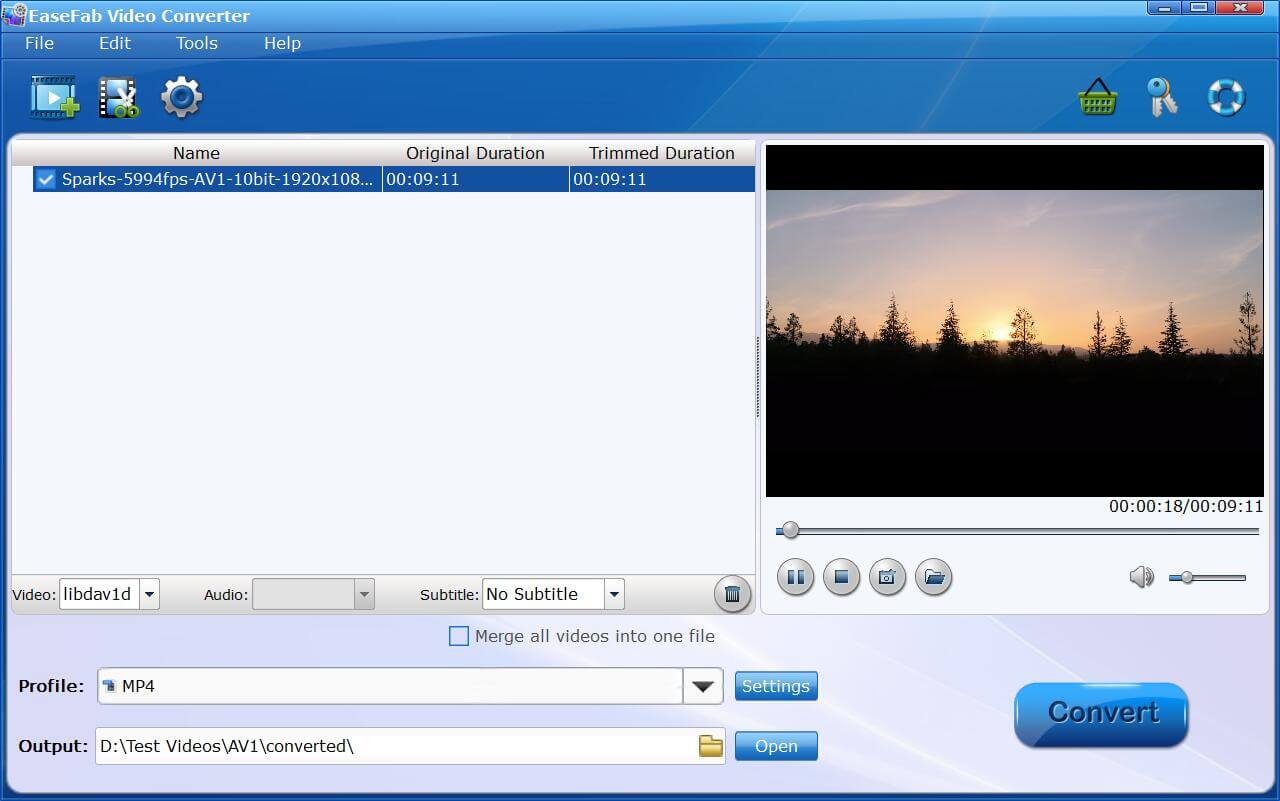
EaseFab Video Converter offers easy and fast AV1 conversion on Windows 11/10/8/7 and MacOS. It's able to convert AV1 from/to MP4, H.264, HEVC, MPEG-4, ProRes, VP9/8, MOV, AVI, WebM, WMV, etc. and transcode AV1 to iPhone, iPad, Android, PS4, Xbox, Plex and 500+ profiles in 4K, 1080p, 720p or whatever resolution. It supports AV1 videos @60fps or higher in 4K and even 8K resolutions.
With an intuitive interface, even beginners can easily use it to perform AV1 conversion effortlessly. Moreover, EaseFab Video Converter supports hardware acceleration from Intel, NVIDIA, and AMD, along with a built-in high quality engine that ensures fast AV1 transcoding speeds and high-quality output for your final video.
- A large number of supported input and output formats.
- Compatible on any device.
- Very fast conversion speed.
- Free for video under 3 minutes.
- 3-layer speed acceleration.
- Rich options of output profile.
- Primarily a paid software (with a free trial for short videos).
- It only runs on Windows 7/8/10/11 and Mac.
#2. HandBrake
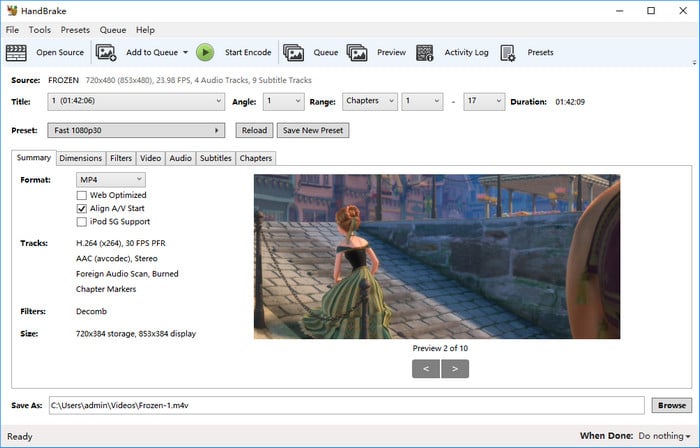
HandBrake is a free and open-source program that can be used as an AV1 converter on Windows, Mac and Linux platforms. It added support for reading AV1 codec in version 1.3.0. With it, you can convert AV1 to H.264, MP4, MPEG-2, MPEG-4, Thera, VP8 and VP9. Additionally, it provides dozens of output presets and a range of customization options for video and audio output, making it ideal for users seeking greater control over their conversion process.
HandBrake is safe to use. However, the plethora of difficult jargon, out-of-date interface, and limited output container options (MKV, MP4, AVI) are just a few of the things that have led me and many other beginners to oft-favor a certain other AV1 converter.
- No cost, no watermarks, and actively developed by a community.
- Basic editing toolkits including cut, crop, subtitle, filter…
- Completely free with GPU acceleration supported now.
- Flexible video parameter settings, even in command lines.
- Unstable with errors, despite being constantly updated.
- Good for experienced users, but not friendly enough for beginners.
- Can only convert to MP4, MKV, and WebM, which might not cover all niche requirements.
#3. FFmpeg
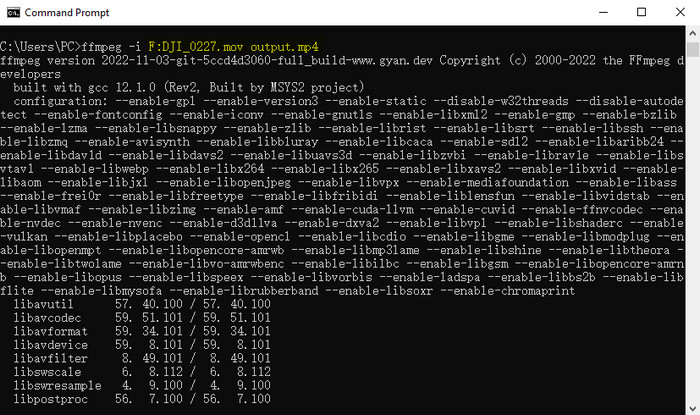
If you're an advanced user, the command tool FFmpeg works perfectly as a free AV1 video converter for Windows 11/10/Mac/Linux. It starts to support AV1 since V4.4 and employs AOMedia video encoder libaom-av1 for AV1 videos. With it, you can convert AV1 to different video formats, including HEVC/H.265, H.264/MPEG-4 AVC, MPEG-4 Part 2, AVI, WMV, FLV, and many more. More than that, the AV1 video converter gains the AV1 encoder ability to let users convert and re-encode videos into AV1 via SVT-AV1 encode (libsvtav1), libaom 2.0.1 or higher (libaom-av1), or rav1e (librav1e).
However, just because it is capable of doing everything doesn't mean everyone can benefit from this powerful AV1 video converter. FFmpeg is the best free video converter software for advanced users or engineers who know a command-line environment. It doesn't come with a GUI. So you can't convert videos with simple clicks as you're doing with EaseFab Video Converter or other paid or free video converters.
- Completely free and available for Windows, macOS and Linux.
- Powerful to decode and encode AV1.
- Support a wide range of video formats, codecs, and containers
- Requires deep knowledge of command-line syntax, codecs, and parameters, making it challenging for beginners.
- All operations are command-line based, lacking the intuitive visual interaction of other converters.
- Achieving desired results often requires extensive experimentation and research.
#4. Convertio
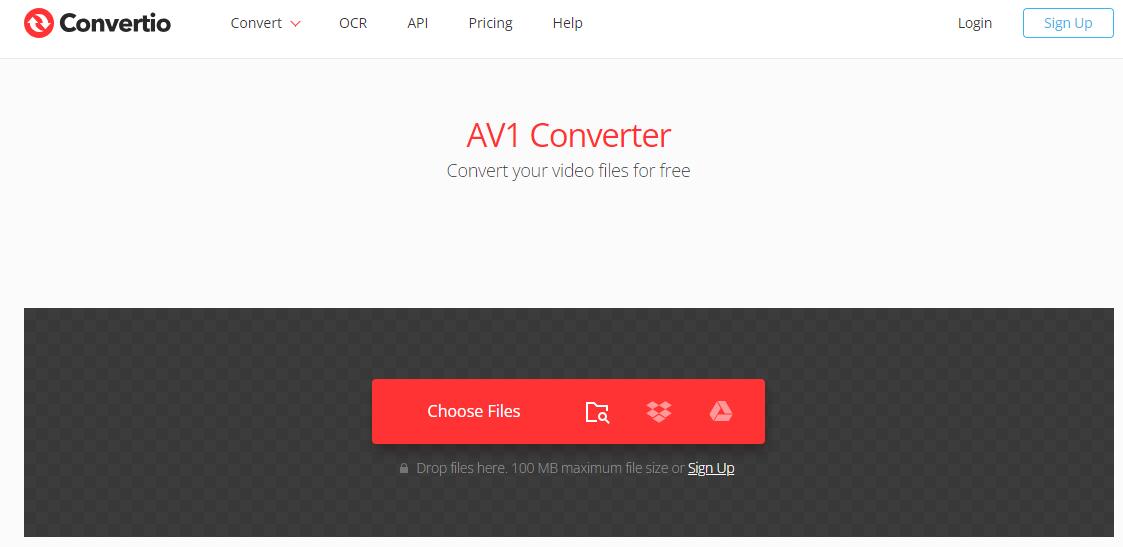
There are few online AV1 converters, but Convertio is the one that really accept AV1 files. It is free and simple to use and provide rich intput and output profile options. Besides, it doesn't ask you to register an account and you don't need to download external software.
However, like many other online converters, Convertio has some limits on file size. It allows you upload only 100 Mb AV1 file for conversion and limits the concurrent conversions by up to 25. For larger AV1 video, it asks for monthly subscription further. Without making use of your GPU, the speed of AV1 conversion will be very slow.
- No need for downloading software.
- Easy to use and save storage.
- Support using files from your device, Google Drive, and Dropbox
- Limited to uploading files up to 100MB for free users.
- Low AV1 video uploading and converting speed.
- Lags appear sometimes.
#5. VLC Media Player
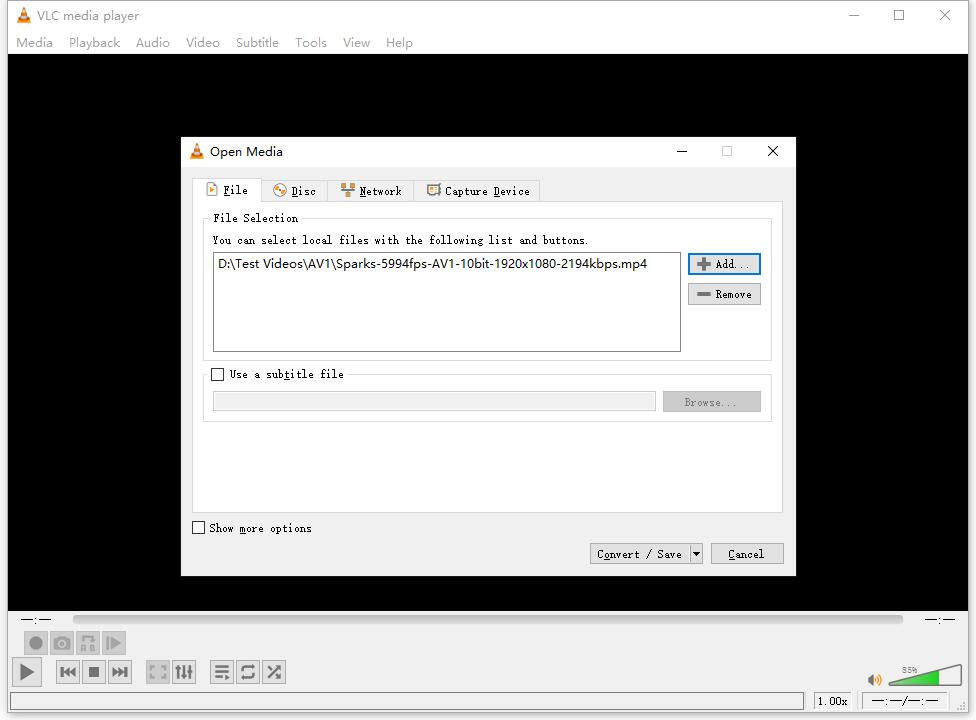
As a versatile, open-source, and cross-platform multimedia player, VLC Media Player also comes with the Convert/Save option, which allows you to use it as an AV1 converter. Though VLC does not support AV1 encoding, it fully supports AV1 decoding in versions 3.0 and newer. You can use VLC to convert AV1 to MP4 (H.264 + AAC), MP4 (H.264 + MP3), and dozens of more popular formats.
The interface of this free AV1 converter may appear outdated and slightly challenging to navigate at first, but using it is relatively straightforward if you don't plan to customize any encoding settings.
- No cost, no watermarks, and widely available.
- Available on virtually all operating systems and mobile devices.
- No need to download separate software if you already use VLC for playback.
- Can play almost any media file, making it a versatile tool.
- Adequate for converting small files to common formats.
- Output quality can be significantly degraded, with loss of detail and potential artifacts.
- Lacks advanced controls for codecs, bitrate, or filters.
- The conversion interface is less intuitive and somewhat hidden compared to its playback features.
- Can consume significant system resources during conversion.
#6. Shutter Encoder
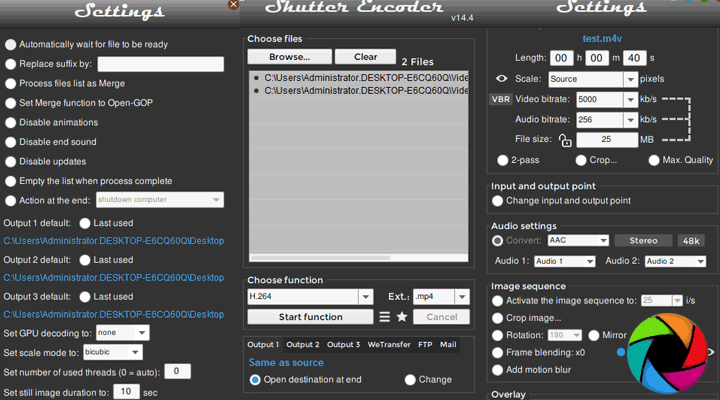
Shutter Encoder is a completely free and open-source video and audio converter with useful video editing capabilities. It's developed based on FFmpeg but designed to be more intuitive. With it, you can convert AV1 from/to VP9, VP8, H.265, H.264, DNxHD, DNxHR, Apple ProRes, QT Animation, GoPro CineForm, JPEG, etc.
Many paid video converters support only Windows and Mac. Open-source video converter freeware are very compatible but usually come with a bit of out-of-date features and UI design. This made the cross-platform Shutter Encoder a perfect AV1 decoding and encoding option for Linux and Ubuntu users.
- Professional features without any cost or watermarks.
- Capable of converting with virtually no perceptible quality loss, ideal for professional workflows.
- Handles a vast array of video, audio, and image formats, including professional codecs.
- Beyond conversion, offers cutting, joining, rewrapping, burning subtitles, and more.
- Well-organized interface despite its advanced capabilities.
- Only compatible with 64-bit OS.
- While intuitive for pros, new users might find the sheer number of options overwhelming.
Optional Reading about AV1
What Is AV1 Codec?
AV1, formally known as AOMedia Video 1, stands as an open-source, royalty-free video codec specially crafted for internet-based video transmissions. It is deemed as the successor to VP9, and as a royalty-free alternative to the more restricted HEVC (H.265).
AV1 codec offers marked improvement in video compression efficiency, boasting up to 50% greater efficiency older formats like H.264 and HEVC. This efficiency translates to a significant file size reduction while maintaining high video quality. It's designed for web use, reducing streaming and storage costs for platforms and improving video quality for users.
AV1 supports 10-bit encoding, enabling high dynamic range (HDR) video playback. This capability enhances the viewing experience by delivering richer colors and greater contrast.
The AV1 compression technology for image results in the AVIF format.
What are the main challenges slowing AV1 adoption?
Despite AV1's technical advantages and royalty-free nature, its high encoding costs and hardware incompatibility have slowed its adoption. AV1 requires significantly more processing power than older codecs, resulting in longer encoding times and higher computational costs. Besides, AV1 requires hardware decoding support for a smooth viewing experience. The lack of this on a broad range of legacy devices has slowed adoption.
Is AV1 a good encoder?
Though AV1 offers the best compression, its encoding speed is slower than both H. 264 and H. 265.
Is AV1 better than H.265?
AV1 generally outperforms H.265 in compression efficiency, especially at lower bitrates. It offers more advanced tools for efficient compression. H.265 vs AV1, which is better? However, AV1 may require more encoding resources and is less widely supported than H.265.


 Sales Team: